

Audit logging add-on for netcore-preview
The .Net 5 public review has now been out for 2+ months and if you have missed that you definitely need to read post by Martin Ottosen .Net 5 public preview, read the .Net 5 preview documentation and have a look at the GitHub netcore-preview repository.
Roughly a year ago I created the Swapcode.Episerver.AuditLog package to log access right changes to the built-it activity log (Change log), you can see old post about it.
I had some free time, so I decided why not prepare the package for the .NET 5 implementation and at the same time rename it to reflect the new Optimizely name. Code can be found from my GitHub repository Swapcode.Optimizely.AuditLog and pre-built NuGet package from the releases (not in any feed as it is just a preview version, first version direct download link).
Installing the package
- download the NuGet package
- create a local (disk or network share) NuGet source, and add the NuGet package there
- configure the new source in Visual Studio / NuGet.config of your project
- check the 'Include prerelease' checkbox in Visual Studio so that you will see package
- install it to your project
- add configuration for the embedded localizations in your startup class, in ConfigureServices method after a call to services.AddCms();
services.AddEmbeddedLocalization<AuditLogInitializationModule>();Usage
- login to Optimizely CMS
- navigate to Admin view -> Access Rights -> Set Access Rights
- change a content items access rights
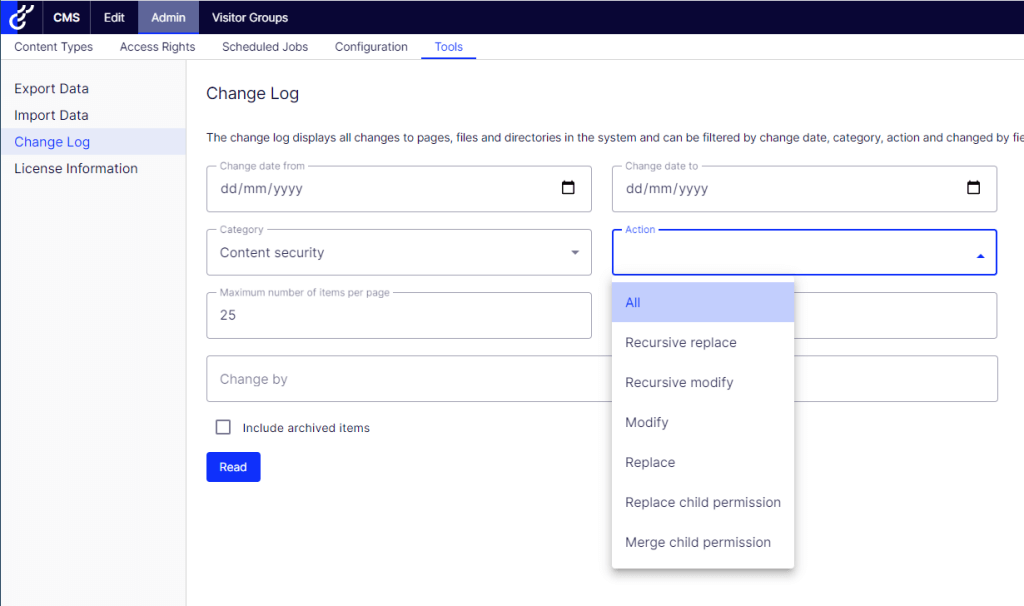
- go to Admin view -> Tools -> Change Log
- in 'Category' select 'Content security'
- in 'Action' select what kind of entries you want to see
- click 'read'
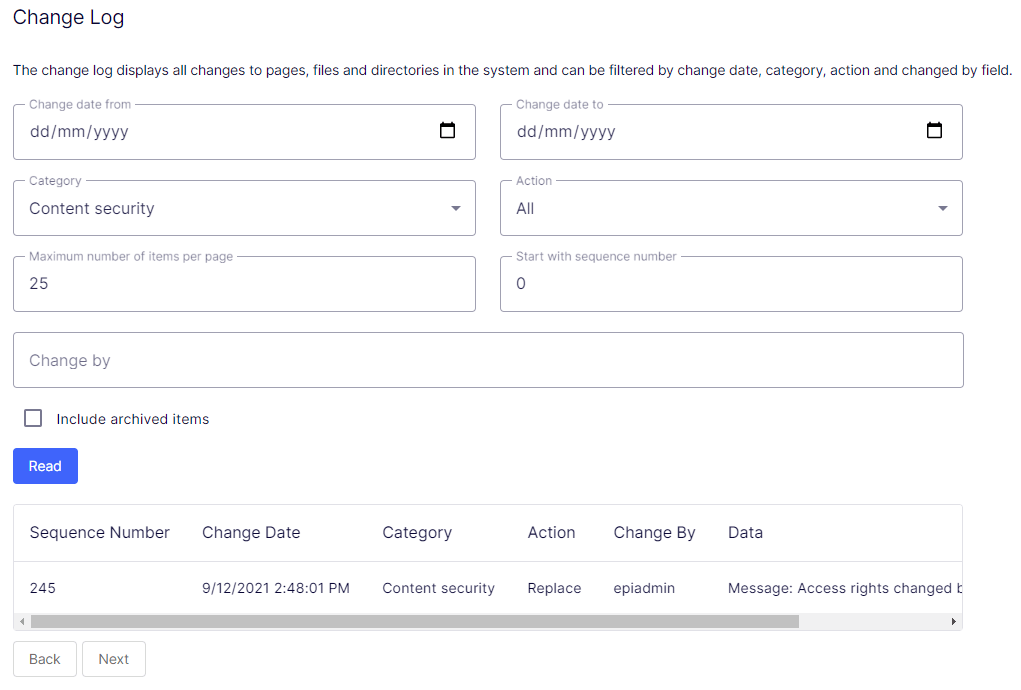
The following screenshot shows how the results look like. Note there is a small issue with the data column, the content is not completely visible because of the preview versions CSS styles (but clever users can inspect the column with browsers developer tools to see the full message). Hopefully Optimizely will do something about that data column, so I don't need to format the message with br-tags :D
Summary
So, if you have been using this add-on then you can be sure it will be available also for the next .NET 5 version of Optimizely CMS.

Comments