

Adding extra information to the property overlay
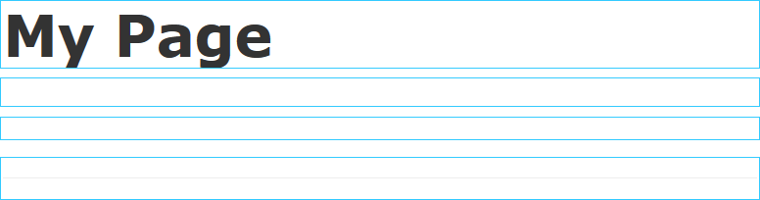
Sometimes it can be quite hard for editors to know which property they should edit or even which property they are currently editing. Especially when they’ve just created a page and are presented with a column of empty blue squares that represent editable properties. For example:
The question of whether it’s possible to modify the overlays to display extra information has come up several times and I have given a few quick answers on the forums. But I figured a blog post might be more appreciated.
Display Name
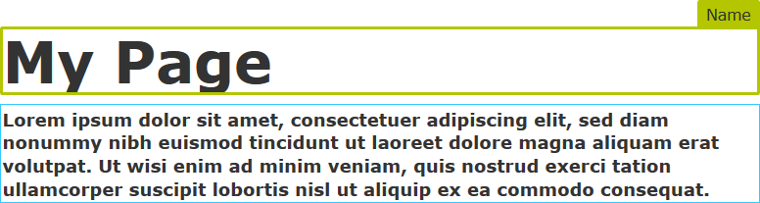
The display name for each property is surprisingly already added to the DOM for all properties except content areas. Unfortunately due to some late design decisions it was hidden so that it wouldn't cause any visual problems. Such as hiding important information on the underlying website. This means that it is actually really simple to get the names of properties to be displayed, for example, on hover of an overlay. It's just a matter of loading some styles in edit mode:
/* Display the information node when hovering the overlay. */
.Sleek .epi-overlay-item.dijitHover .epi-overlay-item-info {
color: #333;
background-color: #B4C600;
border: 3px solid #B4C600;
border-radius: 2px 2px 0 0;
display: block;
font-size: 1.2em;
top: -30px;
right: -3px;
}
/* Hide the information node when editing. */
.Sleek .epi-overlay-item.dijitFocused .epi-overlay-item-info {
display: none;
}
The first selector here says that we want to show the display name when a user hovers the overlay. The main part of this is the display tag which actually makes the display name appear. The others are there to make it look good. I would suggest tweaking these based on how you want it to appear.
The second selector is to make the display name disappear when the user is editing. So in this case when the overlay has focus. This is important for properties that are edited inline, since the display name could distract or potentially hide important information, but you can decide if it is necessary.
Thus we end up with the following:
Loading Custom CSS in Edit Mode
In order to load this custom CSS file in edit mode you need to add a module.config to your solution with the following:
<?xml version="1.0" encoding="utf-8"?>
<module>
<clientResources>
<add name="epi-cms.widgets.base" path="path-to-stylesheet.css" resourceType="Style" />
</clientResources>
</module>

Comments