
Updated content not showing in browsers
Why isn’t the page updated
This is a question I’ve got from editors from time to time and usually the answer has been try Ctrl-R or Ctrl-F5 in the browser and see if that helps, which usually does the trick but one cannot expect all visitors of a web page to do this in order to see updated content.
The problem
<link href="StyleSheet.css" rel="stylesheet" />
<script src="site.js"></script>
<script type="text/javascript">
    $(function () {
        bar(); // from site.js
    });

</script>
</head>
<body>
    <form id="form1" runat="server">
        <div class="foo">
            Text with class foo
        </div>
        <EPiServer:Property runat="server" PropertyName="vppimage"></EPiServer:Property>
        <img src="/image.jpg" />
    </form>
</body>
Which renders something like this in a browser and all is well
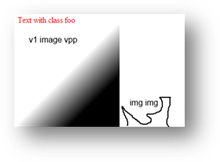
And looking in fiddler for the requests being made first time the page is visited

The green colored requests are fired first time, while the red request is if click in the address bar and press enter and the blue request is after closing the browser, and pasting in the address to the page and opening it again. Note that neither the blue or red requests retrieve the js,css or vpp file again since the initial requests ensured that the content is cached on the browser.
Now we have four assets on the page, an image a stylesheet, a javascript and an image stored in VPP.
Let’s see what happens when we update all four of them.
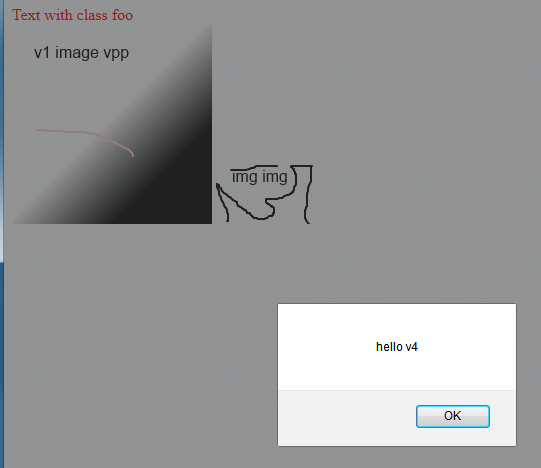
The script fires with an alert, with the text ‘hello v4’, but neither the image nor the text styling is updated
Again looking in fiddler the orange request is the only one fired.

If however ctrl-R (reload) is pressed in Firefox everything is updated

This might be fine for certain situations but there are times when this doesn’t seem to be an option, so we can either ask the visitor/editor to wait 24 hours for the content to expired from the cache or ask them and the visitors to press reload after visiting the page.
What is causing the problem
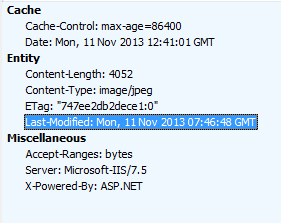
The reason for this happening is that the server is saying that the content can be cached for a certain amount of time – and that is about it – the browser is not receiving any further instructions and will not care until the cache has expired.
The solution
Disclaimer: this might not be the best or correct solution but it seems to work.
What we need to do is tell the browser to always check that its local cache is valid. In web.config one has to add cacheControlCustom="no-cache,must-revalidate"
<staticContent>
      <clientCache cacheControlMode="UseMaxAge" cacheControlMaxAge="1.00:00:00" cacheControlCustom="no-cache,must-revalidate"  >
      </clientCache>
</staticContent>
What this ensures is that the server will tell the browser that it must validate its cache with the server before displaying it to the user.
Note that things won’t immediately work for browsers which have already cached the content but when that content has expired or Reload is pressed the new responses from the server will contain the desired instructions.
If we look at fiddler the green requests is the initial request
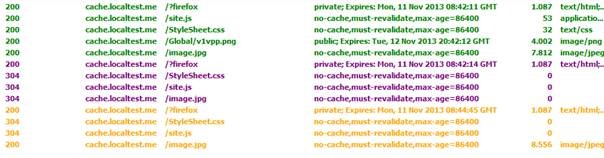
The purple requests is when I press the address bar and click enter.
And the orange requests is after having updated one of the assets – the image.jpg which then causes it to refresh and retrieve the content.
The browser now sends the IF-* headers to verify the content with the server.

And the response from the server
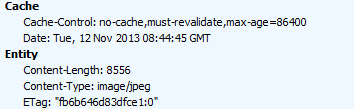
You can see that the Etag value differs from the request If-None-Match value and thus new content is retrieved.
In my opinion the web.config change should be included in web.config before launching any site and then you can increase the cache expiration values to increase long term page speed.

Comments