
Improve user experience with ContentArea and ContentReference
In EPiServer.CMS.UI 12.1.0, several user experience improvements were made.
Easily navigate to the selected item in ContentReference properties
The Edit/View command is added to the selected item, so now users can easily go to that item. If the selected item is a block, it also has the Quick Edit command.
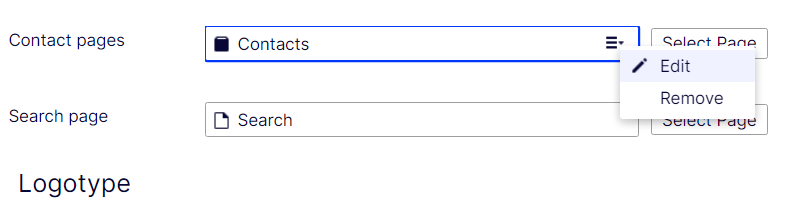
The Edit/View command is available even if the ContentReference property is readonly

Display restriction information for ContentReference and ContentArea
You can see which content types you are allowed or disallowed to add to the current ContentArea or ContentReference, the same way ContentReferenceList has.
The old message is removed when there is no restriction.
"You can add these content types
All"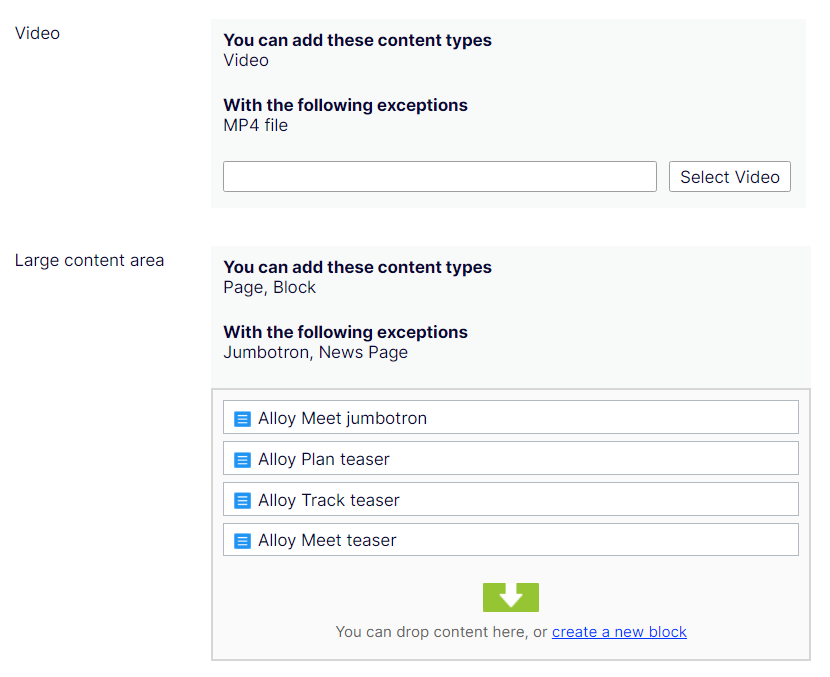
Change button text from ... to Select [Type]
The button text now explicitly indicates which content type you can select.
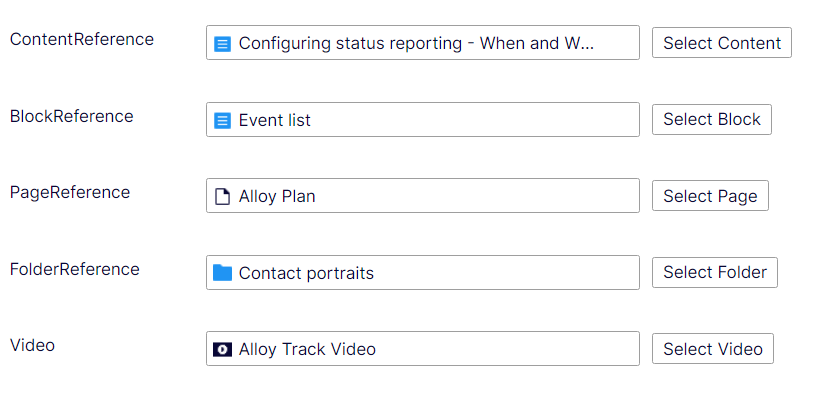
Widen the input field for ContentReference properties
ContentReference input field becomes wider. Currently it only applies for main content area. In dialogs, it still keeps the old length.

Comments