


Make property help text permanently visible
NOTE: Supported upto CMS version 12.9
In continuous efforts to make editors life easy, it will be helpful to make the property help text (shown in below image) permanently visible.
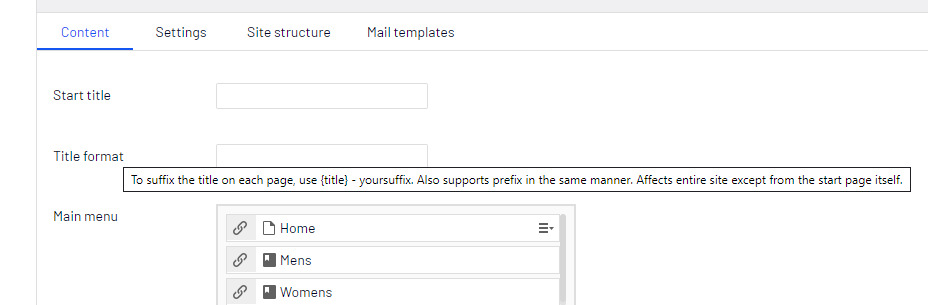
In reference to this blog post, I would like address one issue that, when we try to create block directly from content area those help text are not visible.
So, Let's start...
We will add CSS properties, that will add title text into html element's :after selector (for elements that contains help text in title attribute).
In Episerver, to add a css you will need module.config file, to be added in main project. Create a module.config file and paste the following lines (don't forget to update the path to your css file)
<module xmlns:xdt="http://schemas.microsoft.com/XML-Document-Transform">
  <clientResources>
    <!-- Add css file path in path attribute-->
    <add name="epi-cms.widgets.base" path="/ClientResources/epi-cms.css" resourceType="Style" />
  </clientResources>
</module>
The epi-cms.css is our css file, in which we are going to add our own css classes and properties. Copy paste below css into your css file.
/*  Set property descriptions to be visible */
.Sleek .dijitTabPaneWrapper .epi-form-container__section__row label[title]:after,
.Sleek .epi-createContent .epi-form-container__section__row > label[title]:after {
    content: attr(title);
    display: block;
    font-size: 0.8em;
    font-style: normal;
    margin: 0.3em 0 0 0;
}
This css class is for the normal edit window and when we create a block in assets pan. The second class is for, when you create a block from content area (by clicking on Create a new block).
And here we got our help text visible
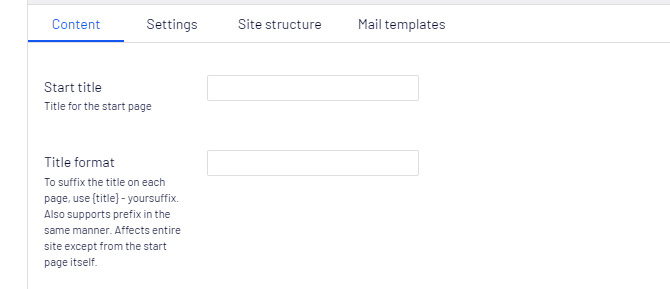
Let me know if you have any question or concern.
Thanks & Regards
Praful Jangid
Happy coding :)

Comments