

A critical vulnerability was discovered in React Server Components (Next.js). Our systems remain protected but we advise to update packages to newest version. Learn More

Ryan Bare
Ryan Bare  -  CMS
Mar 25, 2019
  87
(0 votes)

Marking notifications as read automatically

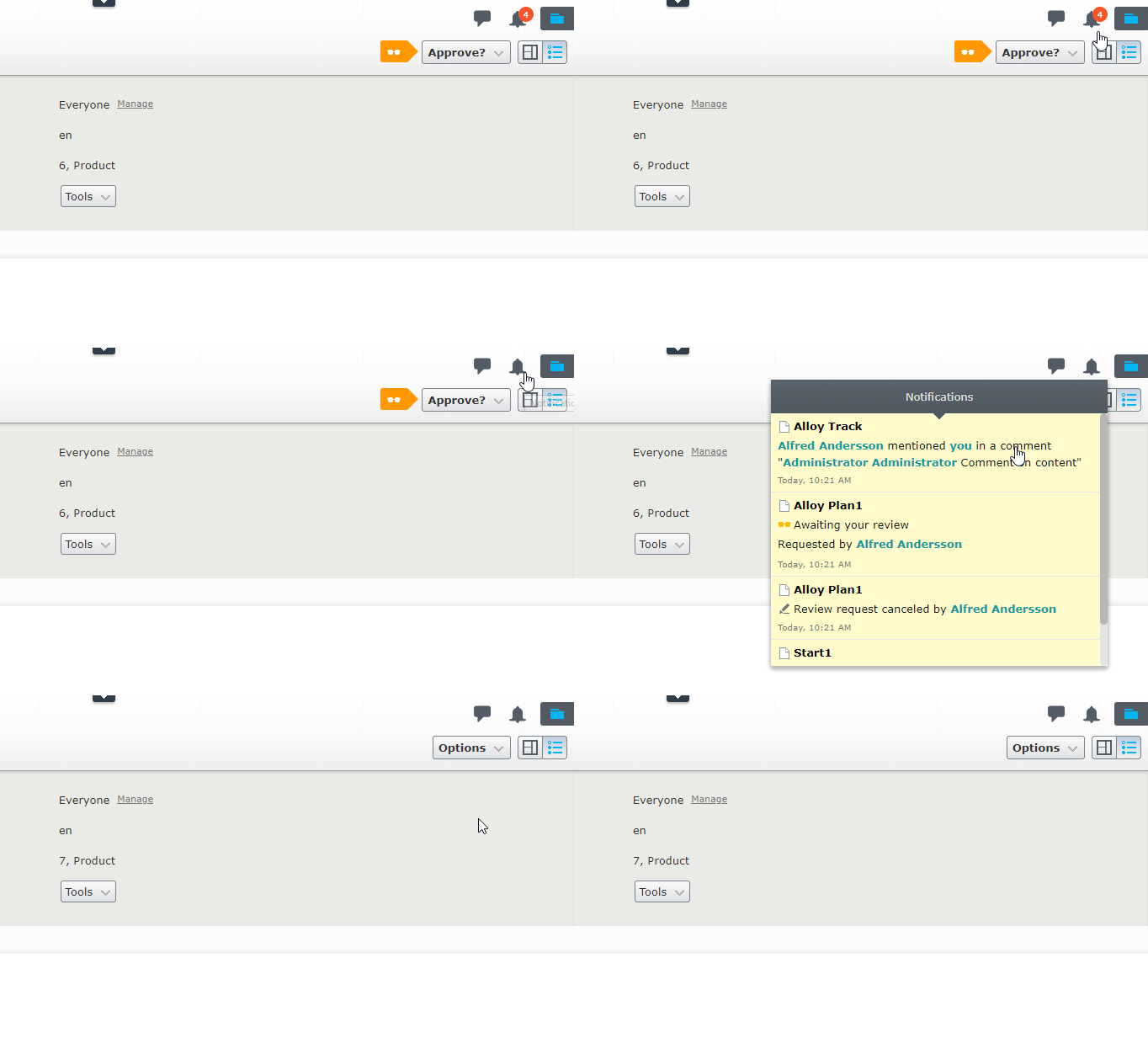
Users often have a large number of unread notifications displayed in their notification icon badge. While opening the window temporarily clears the badge, the number returns on a page reload. This has been discouraging users from utilizing notifications, as they are not using the "Mark all as read" button.

In CMS 11.19.0, all notifications will now automatically be marked as read when the notification window is closed. The notifications will retain their yellow "unread" background until either the notification is clicked, or upon a page reload. This means the "Mark all as read" button and the context menu with the "Mark as read" option are no longer necessary and have been removed. 
Mar 25, 2019

Comments

Please login to comment.
Latest blogs
A day in the life of an Optimizely OMVP: Learning Optimizely Just Got Easier: Introducing the Optimizely Learning Centre

On the back of my last post about the Opti Graph Learning Centre, I am now happy to announce a revamped interactive learning platform that makes...

Graham Carr | Jan 31, 2026

Scheduled job for deleting content types and all related content

In my previous blog post which was about getting an overview of your sites content https://world.optimizely.com/blogs/Per-Nergard/Dates/2026/1/sche...

Per Nergård (MVP) | Jan 30, 2026

Working With Applications in Optimizely CMS 13

💡 Note:  The following content has been written based on Optimizely CMS 13 Preview 2 and may not accurately reflect the final release version. As...

Mark Stott | Jan 30, 2026

Experimentation at Speed Using Optimizely Opal and Web Experimentation

If you are working in experimentation, you will know that speed matters. The quicker you can go from idea to implementation, the faster you can...

Minesh Shah (Netcel) | Jan 30, 2026