
Faking inventory while waiting for integrations to finalize
In many Commerce projects there will be dependent activities running in parallel. You might be waiting for a warehouse inventory service to be developed while the shopping experience is developed. To prevent a delay in progress on the site without manually adding inventory in Commerce Manager, you can fake the implementation of IWarehouseInventoryService.
Implement a fake stock in the Catalog
Before
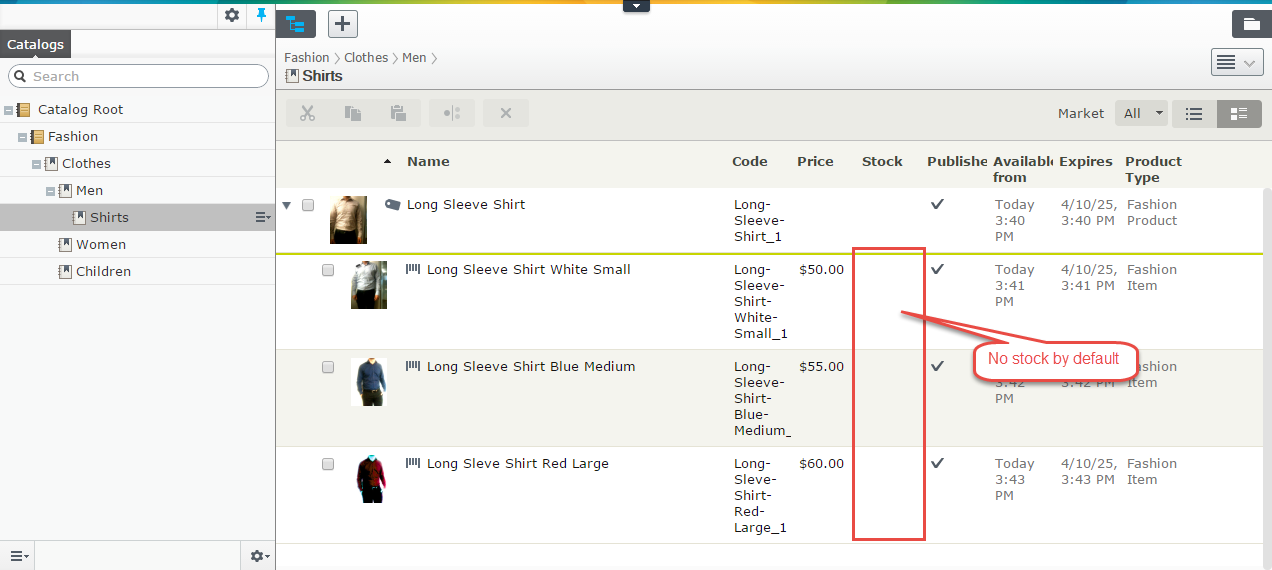
Fake implementation
    public class FakeWarehouseInventory : IWarehouseInventoryService
    {

        private IWarehouseInventory GetFakeInventory(CatalogKey catalogKey)
        {
            return GetFakeInventory(catalogKey, new Warehouse() {Code = "Default"});
        }

        private IWarehouseInventory GetFakeInventory(CatalogKey catalogKey, IWarehouse warehouse)
        {
           return new WarehouseInventory()
            {
                AllowBackorder = true,
                AllowPreorder = true,
                BackorderAvailabilityDate = DateTime.Now.AddDays(-1),
                BackorderQuantity = 0,
                CatalogKey = catalogKey,
                InStockQuantity = 100,
                InventoryStatus = InventoryTrackingStatus.Enabled,
                PreorderAvailabilityDate = DateTime.Now.AddDays(5),
                PreorderQuantity = 0,
                ReorderMinQuantity = 0,
                ReservedQuantity = 0,
                WarehouseCode = warehouse.Code
            };

        }

        public IWarehouseInventory Get(CatalogKey catalogKey, IWarehouse warehouse)
        {
            return GetFakeInventory(catalogKey, warehouse);
        }

        public IEnumerable<IWarehouseInventory> List(IEnumerable<CatalogKey> catalogKeys)
        {
            return catalogKeys.Select(GetFakeInventory) ;
        }

        public IEnumerable<IWarehouseInventory> ListTotals(IEnumerable<CatalogKey> catalogKeys)
        {
            return catalogKeys.Select(GetFakeInventory);
        }
Use an initializable module to override the default WarehouseInventoryService
[ModuleDependency(typeof(EPiServer.Commerce.Initialization.InitializationModule))]
    public class InitializationModule : IConfigurableModule
    {
        public void Initialize(EPiServer.Framework.Initialization.InitializationEngine context)
        {
            CatalogRouteHelper.MapDefaultHierarchialRouter(RouteTable.Routes, false);
        }

        public void ConfigureContainer(ServiceConfigurationContext context)
        {
             context.Container.Configure(ce => ce.For<IWarehouseInventoryService>().Use<FakeWarehouseInventory>());
        }

        public void Preload(string[] parameters)
        {
        }

        public void Uninitialize(EPiServer.Framework.Initialization.InitializationEngine context)
        {
        }
    }
After
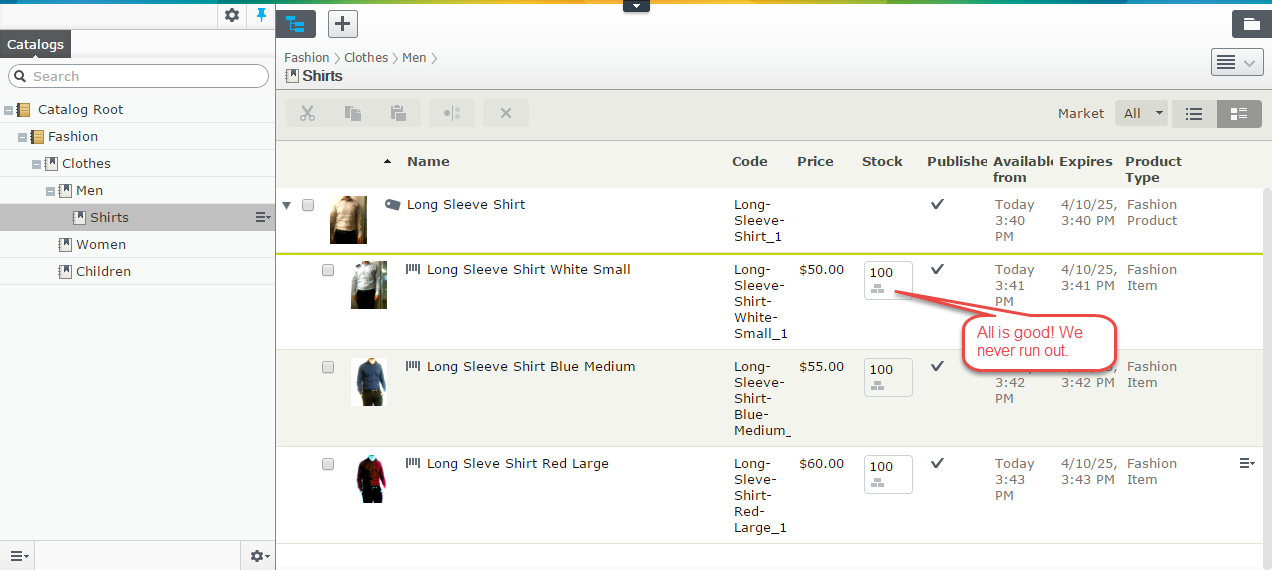
Download FakeWarehouseInventory.cs
Of course, this approach will not work when you are testing features like tracking stock during purchases.
Creating a purchase order
In order to create a purchase order and make the workflows perform correctly with the fake data, you need to create your own fake implementation of IInventoryService.
Download a FakeInventoryService.cs.
More about warehouse here: http://world.episerver.com/documentation/Items/Developers-Guide/EPiServer-Commerce/75/Warehouses-and-inventories/Multi-warehouse-implementations/

Comments