
Extending EPiServerLog.config
Log custom errors or success/fail information for REST APIs, Web services etc using EPiServer Log4net namespace [EPiServer.Logging]
Step 1: Add your custom Logging information to EpiserverLog.config
a. Add your Appender
Sample File Appender:
    <!--Appender for MyCustomLog using File Appender -->
    <appender name="MyCustomLog" type="log4net.Appender.FileAppender">
        <!--File name and Location-->
        <file value="App_Data\MyCustomLog.log" />
        <!--Indicates whether the file should be appended to or overwritten.-->
        <appendToFile value="true" />
        <!--Encoding Type-->
        <encoding value="utf-8" />
        <!--true if always should be logged to the same file, otherwise false.-->
        <staticLogFileName value="true"/>
        <!--Log all information-->
        <threshold value="All" />
        <!--Types of Locking: https://logging.apache.org/log4net/log4net-1.2.13/release/sdk/log4net.Appender.FileAppender.LockingModel.html-->
        <lockingModel type="log4net.Appender.FileAppender+MinimalLock" />
        <layout type="log4net.Layout.PatternLayout">
            <conversionPattern value="%date %message%newline" />
        </layout>
    </appender>
    <!--Appender for MyCustomLog data-->
b. Add Logger tag right after </root> & before </log4net>
<!--Separate Logger for MyCustomLog -->
 <logger additivity="false" name="MyCustomLog">
        <level value="All"/>
        <!--Your Appender Name-->
        <appender-ref ref="MyCustomLog" />
 </logger>
Step 2: Write to your log
EPiServer.Logging.ILogger mylog = EPiServer.Logging.LogManager.Instance.GetLogger("MyCustomLog");
// Appender name: "MyCustomLog"

 mylog.Info($"This is test data.");
Preview:
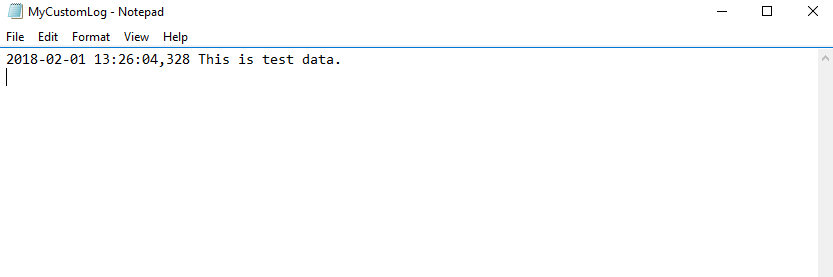
Different Appender types available:
- Write to File: [log4net.Appender.FileAppender] - Write to a file.
- Write To Rolling File: [log4net.Appender.RollingFileAppender] - Rolling Style used by EPiServer.
- Database log: [log4net.Appender.AdoNetAppender] - write logs to database.
- Write to Event log: [log4net.Appender.EventLogAppender] - Write events to event log.
More Info Here: https://world.episerver.com/documentation/developer-guides/CMS/logging/
Feb 01, 2018

Comments