search
AI OnAI Off
A critical vulnerability was discovered in React Server Components (Next.js). Our systems remain protected but we advise to update packages to newest version. Learn More.

Hi Hjalmar,
There is no easy way to do this, however, if you're not using personalization or display options you could use an IList<ContentReference> instead which supports mutliselect.
Cool, that worked!
Is it possible to make an IList<T> not look horrible in the CMS if I have many AllowedTypes?
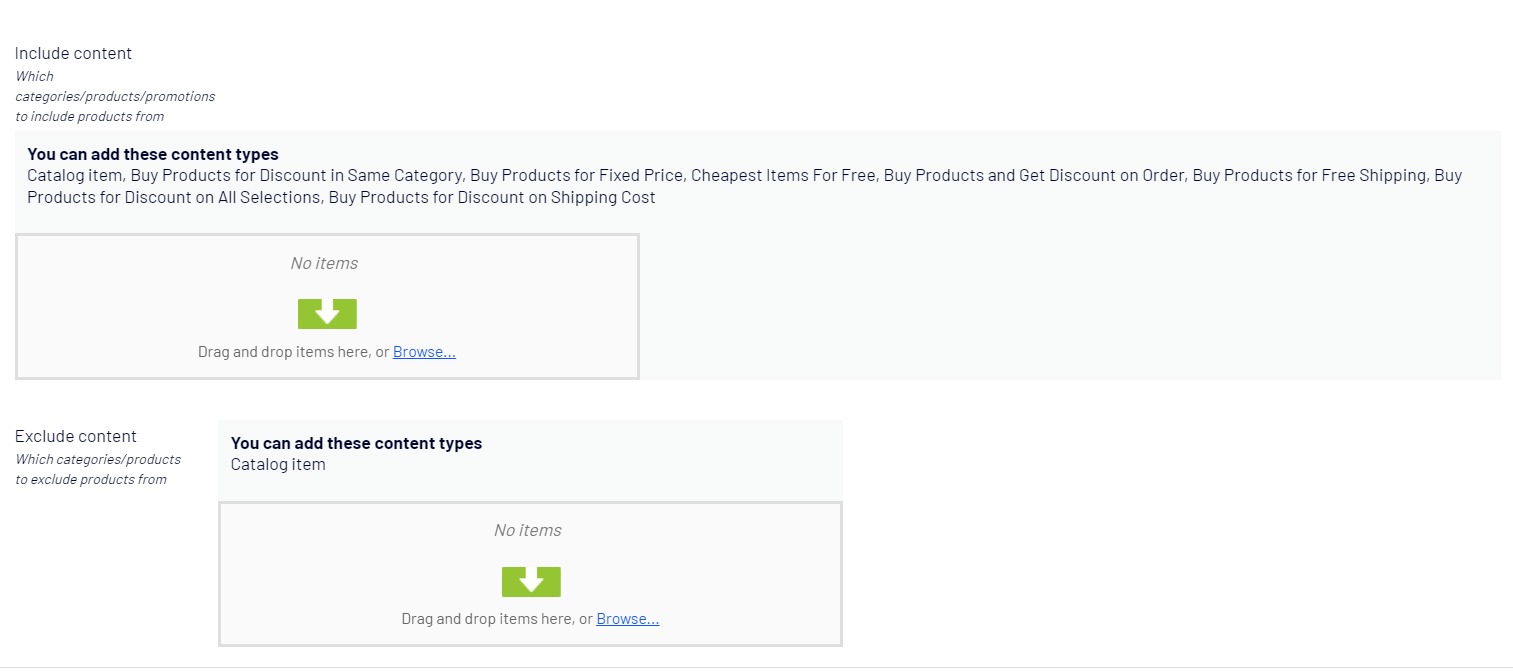
Have you tried using a base class, or an interface, as argument for your AllowedTypes attribute?
Probably the easy (or at least easiest) option is just to hide the whole header/allowed types section. You could achieve that with the following:
Add an editor descriptor:
[EditorDescriptorRegistration(EditorDescriptorBehavior = EditorDescriptorBehavior.ExtendBase, TargetType = typeof(IList<ContentReference>), UIHint = UiHint)]
public class HideAllowedTypesEditorDescriptor : EditorDescriptor
{
    public const string UiHint = "HideAllowedTypes";

    public override void ModifyMetadata(ExtendedMetadata metadata, IEnumerable<Attribute> attributes)
    {
        base.ModifyMetadata(metadata, attributes);
        metadata.EditorConfiguration.Add("class", "hide-header");
    }
}
Add the following to your module.config (or create it if it doesn't exist):
<?xml version="1.0" encoding="utf-8"?>
<module>
  <clientResources>
    <add name="epi-cms.widgets.base" path="~/ClientResources/Styles/HideHeader.css" resourceType="Style" />
  </clientResources>
</module>
Add the styling (should be at the path in you module.config):
.epi-content-area-wrapper.hide-header {
    padding-top: 0;
}

.epi-content-area-wrapper.hide-header .epi-content-area-header-block {
    display: none;
}
Now you can use it on any IList<ContentReference>:
[UIHint(HideAllowedTypesEditorDescriptor.UiHint)]
public virtual IList<ContentReference> Example { get; set; }


Is it possible to enable multiselect to remove a range of items from a content area? Much like the multiselect on items in a promotion.